From incoming offers to
a clear seller review.

Collect terms and documents through one link, compare price and estimated proceeds, manage revisions and counters, and keep the listing's offer history together.

1
Collect complete offers

One link for terms and documents

2
Compare the complete picture

Terms, documents, and estimated proceeds

3
Review with the right people

View-only seller access, agent-controlled

Terms, documents, and timestamps together

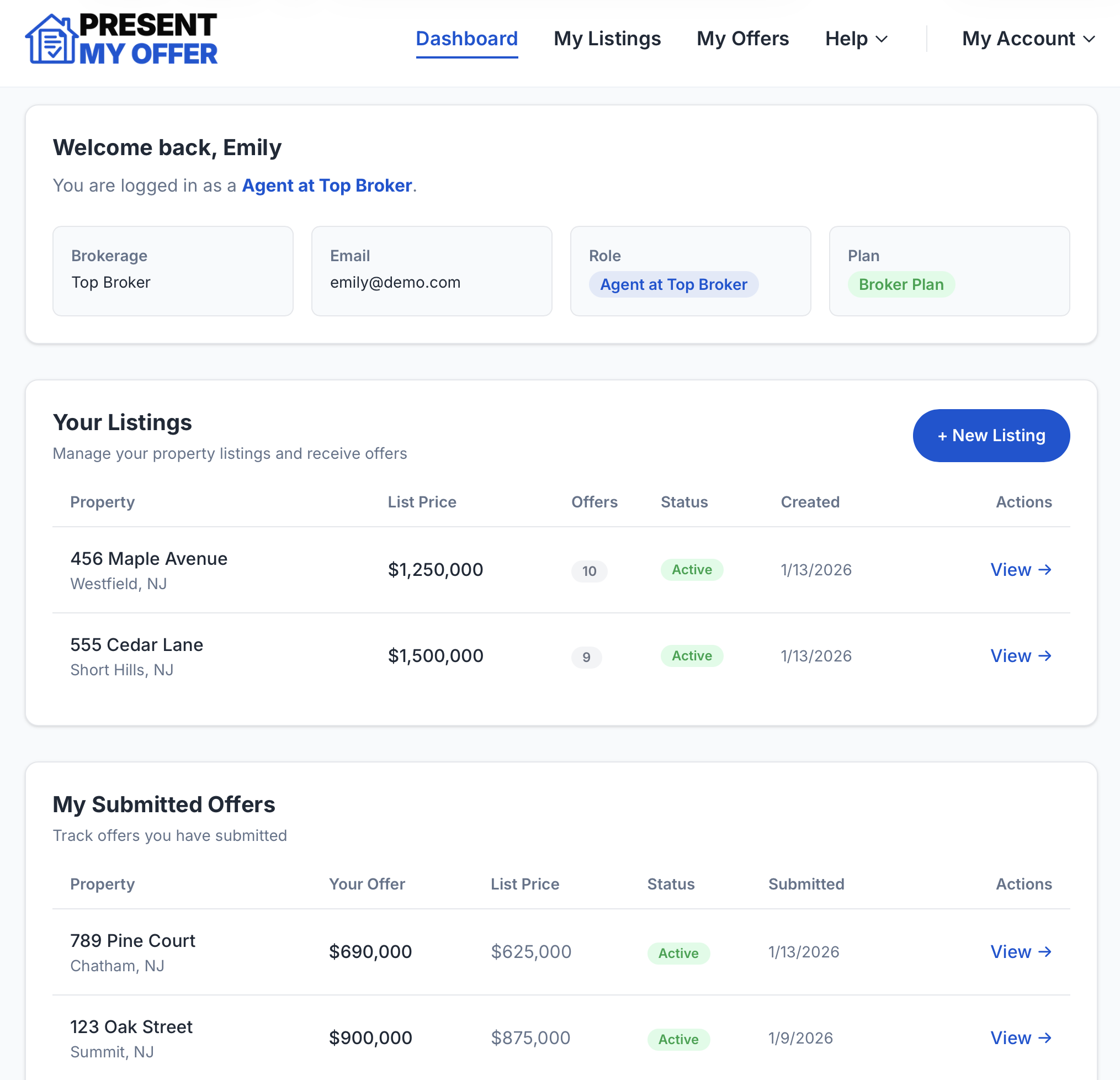
See your listings, incoming offers, and recent activity in one clean view, with every submission connected to its documents and history.

  • View all active listings at a glance
  • See offer counts and status instantly
  • Track activity with timestamps
app.presentmyoffer.com
Present My Offer Dashboard

Collect complete offers

Give buyer agents one link for terms and supporting documents. They can submit, revise, or withdraw without creating an account.

Guided Offer Form

Every offer arrives complete and in the same format.

Document Attachments

Pre-approvals, proof of funds, and contracts attached to the right offer.

Listing Instructions

Add notes for buyer agents that display on the offer submission form.

Listing Photos

Upload a property photo that buyers see before submitting. First impressions, right on the offer form.

Offer Deadlines

Set a submission deadline on any listing. It shows on the offer form, and every change is kept in the listing history.

Revisions and Withdrawals

Buyer agents can revise or withdraw through the offer link, with each version linked to the original.

Prior-Offer Detection

The form warns a buyer agent when a similar offer has already been submitted.

Compare the complete picture

Review price, financing, contingencies, dates, concessions, attachments, and estimated net proceeds in a consistent format.

Net to Seller

Set commissions, closing costs, and payoff once. Every offer shows its estimated net to the seller, so you compare what offers actually net, not just the headline price.

Status Tracking

Active, withdrawn, pending, at a glance.

Documented History

Every action timestamped and preserved. Full edit history with version tracking on every listing.

Agent Remarks

Add internal notes to any offer. Optionally share remarks with sellers through their portal.

PDF Reports

Export a formatted offer summary with individual detail pages. Print or save.

Spreadsheet Export

Download all offer data as a CSV. Sorted by price, ready to share.

Manage the response

Send a best-and-final deadline to all active buyer agents or counter one offer with a price, notes, and respond-by date.

Best & Final Call

Broadcast a best-and-final deadline to every agent with an active offer. Each one gets an email with the date and a link to submit their final number.

Counter Offers

Counter any active offer with a new price, optional notes, and a respond-by date. The buyer's agent gets an email with the details and a link to submit a revised offer.

Email Notifications

Get notified when offers arrive, and keep sellers in the loop with their own notifications.

Multi-Seller Access

Invite up to 5 sellers per listing to a view-only dashboard when you are ready.

Add a co-listing agent

Bring a second agent onto any listing to share the work. They manage offers with you; only you can edit the listing itself.

Work the Offers Together

Co-listing agents see every offer, contract, and attachment, and can send best-and-final calls and counters.

Invite Sellers

Co-listing agents can send, resend, or revoke seller invitations on your behalf.

Full Activity Log

See the complete edit history and timestamps. Nothing hidden.

One co-listing agent per listing. Editing the listing, archiving, and reassignment stay with the primary listing agent.

Seller Portal

Invite sellers to a view-only offer dashboard when you are ready. They can review terms, documents, timestamps, status, and estimated proceeds while you continue to manage the process.

View-only access View documents Estimated net proceeds Timestamps Agent-controlled access
No Account Required for Buyer Agents

They click the link, submit the offer, done

Give brokers a review path

Read-Only Offer Review

View terms, timestamps, revisions, and documents without changing the agent's listing

Team Administration

Invite agents, manage seats, revoke access

Seat Licenses

Track pending, active, and revoked seats at a glance

Listing Transfers

Reassign a listing when responsibilities change

More ways to manage the listing

Small conveniences that make the daily work easier.

Keep everyone in sync

  • Seller notifications
  • Shareable offer links
  • Timestamped activity

Handle every listing type

  • Rental listings with rental-specific offer forms
  • Switch between sale and rental before the first offer
  • Role-based access

Organize your pipeline

  • Listing search
  • Archive & restore
  • Deactivate & reactivate

See the complete offer workflow on your own listing.

Your first two listings include the full individual-agent workflow before a subscription is required.